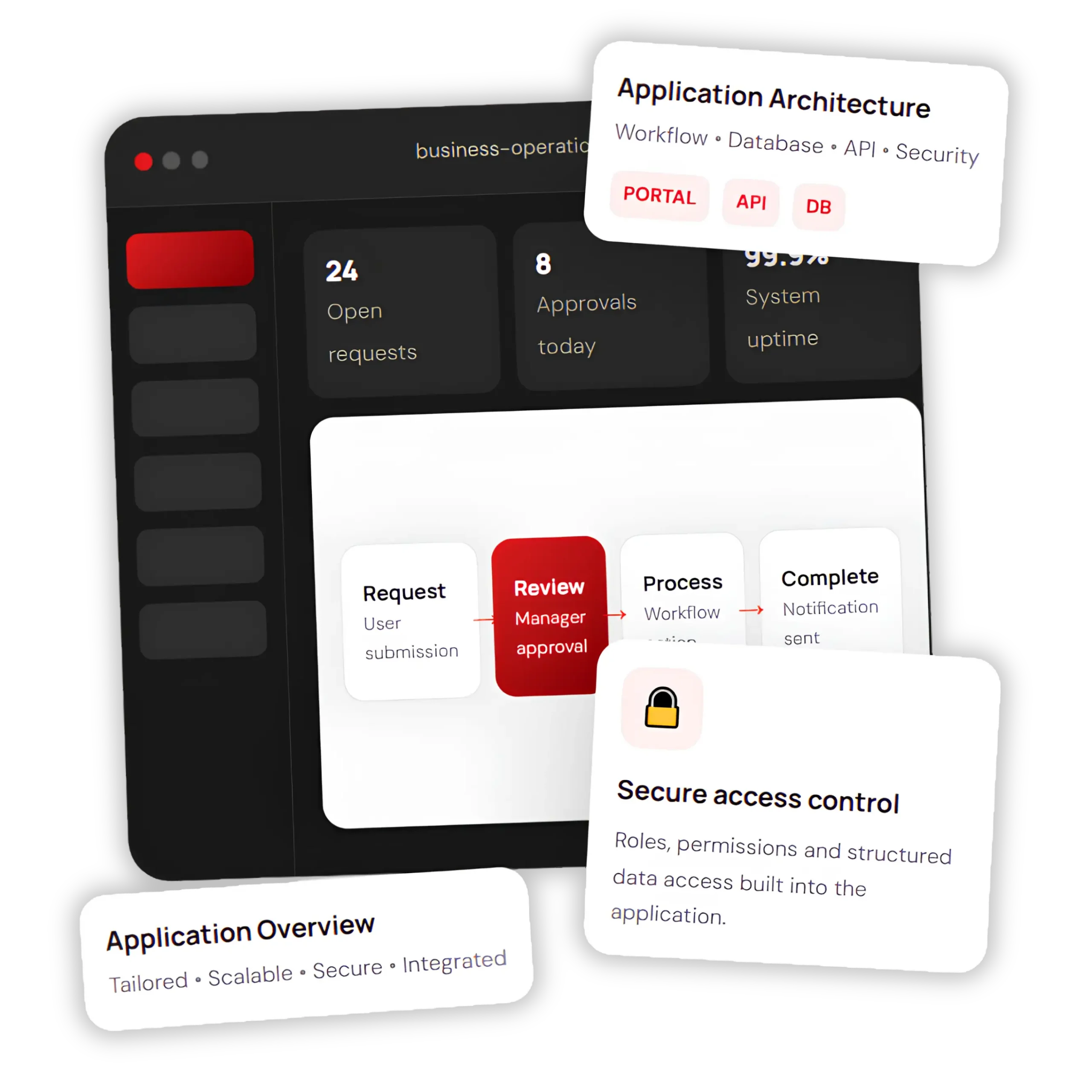
StandardTouch provides structured Microsoft 365 email setup service in Saudi Arabia for organizations rolling out professional Outlook email and Exchange Online under their business domain. When you’re provisioning mailboxes for new staff across Riyadh, Jeddah, or Dammam, you can’t afford profile crashes, missing calendars, or messy mobile configurations. We configure Outlook desktop profiles, set up web and mobile access, connect shared departmental mailboxes, and guide your team through a smooth user handover.
Outlook brings business email, shared calendars, team contacts, and collaborative communication into one familiar workspace. When it is configured properly, users switch between desktop, web, and mobile devices without annoying sync glitches.
A dependable Outlook rollout doesn’t rely on self-setup guesswork. It demands verified Microsoft 365 accounts, active licences, secure sign-in policies, tested profiles, and practical guidance for end users.
Configure clean Outlook profiles for Windows and macOS, connect Exchange Online mailboxes, and ensure offline cached mode operates reliably.
Set up Microsoft Outlook on iOS and Android devices with synchronized calendars, contacts, and approved security controls.
Attach shared info@ and sales@ mailboxes, departmental distribution groups, and team calendars directly inside each user's Outlook profile.
Set up Outlook through a structured service aligned to your Microsoft 365 environment, users, supported devices, and daily communication requirements across Saudi Arabia.
User accounts, Exchange Online licences, supported devices, and existing Outlook profiles reviewed before kickoff.
Licence assignments, profile naming conventions, shared resource permissions, and rollout sequence mapped out.
Outlook profiles, business mailboxes, shared calendars, signatures, and mobile apps configured.
Inbound and outbound email, calendar sync, and mobile notifications tested before user handover.
Our Microsoft 365 email setup service combines account validation, licence allocation, profile configuration, Exchange Online connectivity, shared mailbox access, security settings, testing, and user handover into one coordinated workflow. Our technical team reviews your Microsoft 365 tenant, user accounts, licences, devices, existing mail profiles, and access requirements. We then execute a practical setup plan that keeps business disruption to an absolute minimum.
Verify active Microsoft 365 credentials, Exchange Online licences, and supported device prerequisites before touching user workstations.
Build stable Outlook desktop profiles on Windows and Mac, connecting business mailboxes, calendars, and address books.
Install and configure Outlook mobile apps on iOS and Android devices with push notifications and secure authentication.
Connect authorized shared departmental accounts and distribution aliases so team members collaborate without communication gaps.
Practical configuration services designed to help staff access Outlook securely and work productively across all supported devices. Each service supports an organized rollout workflow—from account and device assessment to profile setup, testing, and user guidance.
Confirm active Microsoft 365 users, appropriate Exchange Online licences, supported devices, administrator access, and existing profiles before configuration begins.
Configure Outlook desktop profiles and web access, then connect the correct business mailbox, calendar, and contacts for each approved user.
Set up the Microsoft Outlook mobile app on supported iOS and Android devices, including account access, synchronization checks, and security guidance.
Connect approved shared mailboxes, aliases, distribution groups, and shared calendars so teams access communication resources from Outlook.
Configure agreed corporate email signatures, automatic replies, inbox rules, and view preferences without disrupting business-critical mail.
Support multi-factor authentication enrolment, secure sign-in verification, account-recovery setup, and access best practices for Microsoft 365.
Test sending, receiving, calendar appointments, contacts, and shared mailboxes, then supply clear user guidance and follow-up assistance.
Outlook implementations focused on reliable user access, consistent profile configuration, shared resources, secure sign-in, and confident user handover across Saudi Arabia. Explore StandardTouch’s Outlook setups, Microsoft 365 implementations, and wider business-email work.
Outlook Email Setup: User profiles, business mailboxes, calendars, and address books configured on supported desktop workstations.
Team Email Access: Shared departmental mailboxes, aliases, and calendars connected to designated users with permissions verified.
Setup Validation & Guidance: Mail flow, synchronization, and device access checked before staff receive practical usage instructions.
A clear workflow from account and device assessment to Outlook configuration, testing, handover, and follow-up support. A structured process keeps users, devices, licences, profiles, shared resources, and security settings organized around actual working habits.
From your initial brief, we review users, Microsoft 365 accounts, licences, administrator access, supported devices, and existing profiles.
Organize users, devices, Outlook versions, account credentials, licences, shared-mailbox permissions, and rollout stages into a clear plan.
Deploy approved Outlook profiles and link them directly to Exchange Online mailboxes, calendars, contacts, and shared resources.
Configure Outlook access across desktop, web, and mobile platforms, handling individual user requirements according to agreed scope.
Test inbound and outbound mail, calendar sync, contact lookups, shared mailbox sending permissions, and multi-factor sign-ins.
Provide users with practical login instructions, deliver administrative documentation, and confirm the ongoing support route.
"*" indicates required fields
Outlook configuration touches local device profiles, shared resources, calendars, contacts, mobile apps, and established daily work habits. Having accurate account details and timely access to each device keeps the rollout organized and on schedule.
StandardTouch supports new Outlook deployments, replacement profiles, mobile device setups, and user onboarding for Microsoft 365 environments across Saudi Arabia. Our scope covers licence checks, profile configuration, shared resources, secure sign-in, testing, and post-launch user support.
Users, device models, and account readiness audited to build an accurate deployment plan.
Licences, credentials, and rollout sequence structured to eliminate onboarding bottlenecks.
Outlook profiles, business mailboxes, and security baselines deployed across devices.
Message delivery, calendar sync, and mobile notifications verified prior to user handover.
Our wider digital capabilities connect Outlook setup with Microsoft 365 administration, Exchange Online, domain services, email migration, security compliance, and ongoing business-email support across Saudi Arabia.
Our Outlook email setup services are tailored to Saudi business requirements and commercial organizations across the Kingdom.
Outlook, Exchange Online, and Microsoft 365 knowledge work together for accurate profile setup, access troubleshooting, and administrator coordination.
Assessment, preparation, configuration, validation, and handover keep the Outlook rollout organized and predictable.
Our extensive background across business email, cloud platforms, and user helpdesks ensures staff adopt Outlook smoothly.
Common questions from organizations planning professional Outlook setup across desktop, web, and supported mobile devices in Saudi Arabia.
The service covers account and licence checks, Outlook desktop profiles, web and mobile access, shared mailbox connections, signatures, secure sign-in, testing, handover, and follow-up assistance according to your agreed scope.
Yes. We configure Outlook on supported Windows, macOS, iOS, and Android devices, as well as verify Outlook on the web access.
For Microsoft 365 business email, users need an active account and a suitable Exchange Online licence. We review the existing environment and identify any account or licence gaps before configuration.
Yes. We connect approved shared mailboxes, aliases, and shared calendars to appropriate Outlook profiles once tenant permissions are granted.
Outlook is the client application people use to access email, calendars, and contacts. Microsoft 365 business email is delivered through Exchange Online, with Outlook being one of the ways users connect.
Yes. Handover includes practical instructions for sign-in, email management, calendars, contacts, shared mailboxes, mobile access, and security steps. Ongoing support is also available.
Give users a consistent, secure Outlook experience across supported devices. StandardTouch provides structured Outlook Email Setup services for organizations across Saudi Arabia.